FIVEWIN FAQ – Frequently Asked Questions & Help Guide
FIVEWIN FAQ – General Platform Information
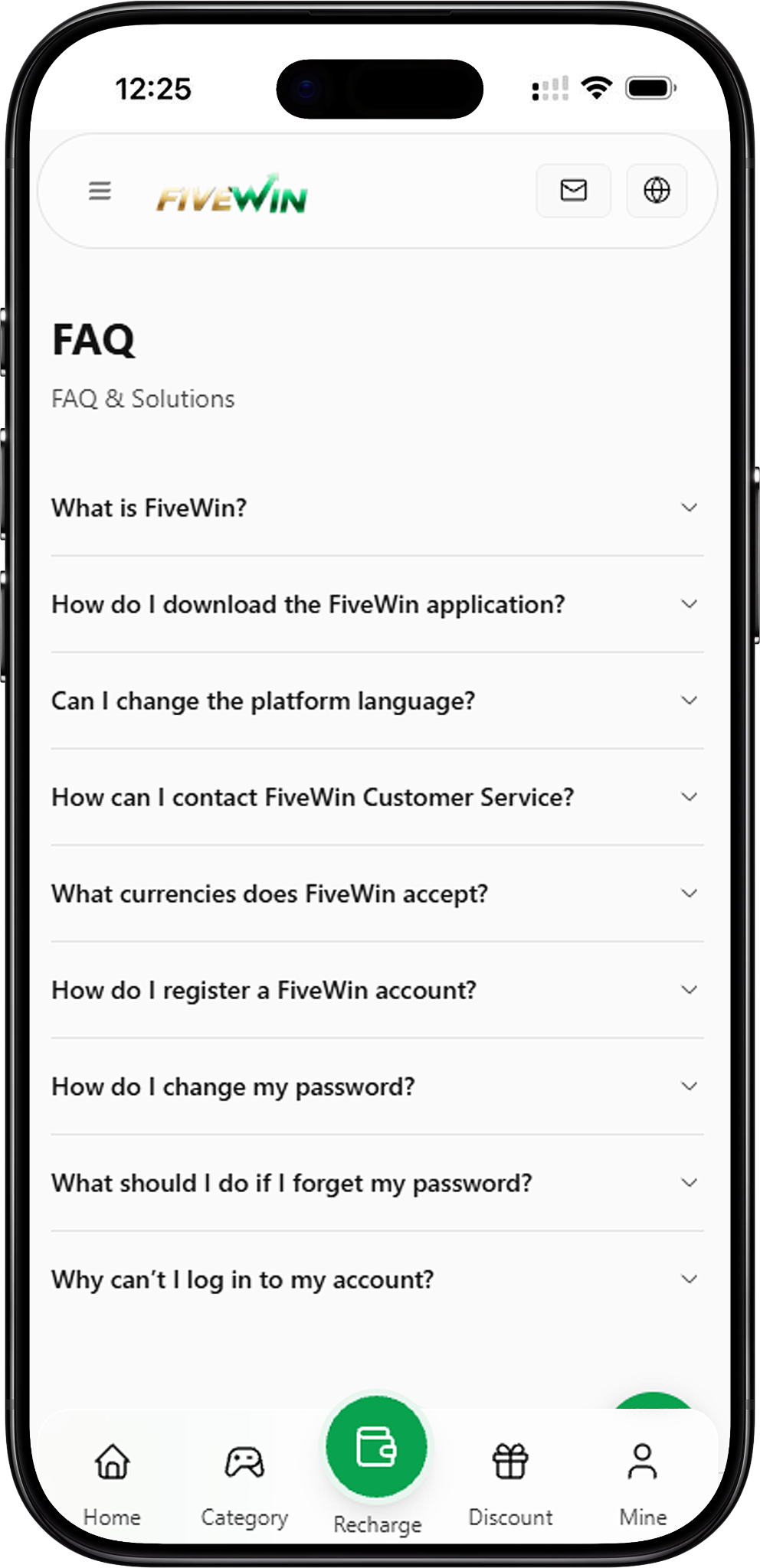
FIVEWIN is an online entertainment platform that provides members with access to gaming categories, promotional information and account-related services. The platform supports access through compatible devices and provides account management functions and customer assistance. This section introduces the website and explains where users can find general information about its services.
What Is FIVEWIN?
FIVEWIN is an online gaming and entertainment platform offering games across several categories, including Slots, Live Casino, Sportsbook, Fishing, Lottery and Card & Board games. Members can explore available entertainment options, review promotions and access supported account services through the platform.
What Services Does the Platform Provide?
The platform provides online gaming entertainment alongside account registration, login, password management, deposit and withdrawal services. Members can also review promotional information, adjust available account settings and contact customer support when assistance is required.
Where Can I Access the Website?
Users can visit https://fivewin.com.my/ to access the website covered by this guide. The platform provides access to available games, account-related functions, promotional information and customer assistance. Users should verify the website address before entering personal information or account credentials.
Download & Installation Guide
The website provides download and installation information, allowing users to access the platform on supported devices. The installation guide includes Android, iOS and Desktop options. Users should select the appropriate device category and follow the displayed instructions. Depending on the device, the process may involve downloading an application or creating a website shortcut.
Step 1: Visit the Website
Open your browser and visit https://fivewin.com.my/. Access the platform through its designated website rather than unfamiliar third-party download sources to reduce the risk of installing unauthorized applications.
Step 2: Select the Download Option
Locate the Download option on the website. Open the download section to view the available installation information and supported device categories.
Step 3: Choose Your Device
Select the installation option that matches your device. The installation guide provides Android, Desktop and iOS categories, allowing users to view the relevant instructions.
Step 4: Follow the Download or Shortcut Instructions
Follow the instructions displayed for your selected device. Depending on the operating system and available installation method, you may be directed to download an application, add the website to your home screen or create a desktop shortcut. Confirm that you are using the appropriate option before proceeding.
Step 5: Complete the Installation or Setup
Follow your device’s instructions to finish the installation or shortcut setup. Once completed, open the application or website shortcut and proceed to the available account access options. The steps may differ depending on the device, operating system and browser.
Important Download & Installation Safety Tips
For account and device security, use only the download or installation options provided through the website. Avoid unfamiliar websites, unofficial application packages and unverified third-party links. If you experience difficulties during installation, contact customer service for assistance.
Account Registration Guide
Creating an account allows eligible users to access the platform’s available member services. The registration process involves entering the required information, creating login credentials, reviewing the applicable terms and completing any necessary account verification. Follow the steps below to understand the registration process.
Step 1: Open the Registration Page
Visit the homepage and select Register. This will direct you to the account registration page, where you can begin entering the required information.
Step 2: Enter Your Personal Information
Complete the registration form using the information requested by the platform. Ensure that all submitted details are accurate, current and belong to you. Providing incorrect information may create difficulties during future account verification.
Step 3: Create Your Username & Password
Choose your username and create a password for your account. Use login credentials that are difficult for others to guess. Keep your account information private and do not share your password with unauthorized individuals.
Step 4: Review the Terms & Conditions
Read the applicable Terms and Conditions before completing registration. These terms explain the requirements and responsibilities associated with using the platform. Continue only after reviewing and accepting the relevant conditions.
Step 5: Complete Account Verification
Follow any verification instructions displayed during registration. Depending on the account requirements, additional information or verification steps may be necessary before certain platform functions become available.
Step 6: Log In to Your Account
After completing registration and any required verification, return to the login page and enter your registered username and password. Once successfully logged in, you can access the available account functions and platform services.
Login & Account Access
The login function allows registered members to access their accounts using their usernames and passwords. If you experience difficulties signing in, checking your credentials and browser settings may help identify common access problems. This section explains the login process and basic troubleshooting methods.
How to Log In to Your Account
Visit the website or open the available application or website shortcut. Select Login, enter your registered username and password, and submit your login details. If the information is correct and your account is accessible, you will be able to enter your account.
Check Your Username & Password
If your login attempt is unsuccessful, confirm that you entered the correct username and password. Check for typing mistakes, additional spaces or incorrect characters before attempting to log in again.
Refresh the Website
Temporary browser or connection issues may affect access to the login page. Refresh the website and try signing in again. If the page does not load correctly, check your internet connection before repeating the process.
Clear Your Browser Cache
Stored browser data may occasionally interfere with website functionality. Clearing your browser cache and reopening the website may help resolve certain loading or login problems. Be aware that clearing site data may sign you out of your account.
Contact Support for Login Issues
If you have confirmed your login details and completed basic troubleshooting but still cannot access your account, contact customer service. The support team can provide further guidance based on your account access issue.
Password Management & Recovery
Managing your account password is an important part of protecting your account. Members can change their existing password through the account profile or use the Forgot Password function when they cannot remember their login credentials. The following instructions explain both procedures.
Step 1: Log In to Your Account
To change your existing password, first log in to your account using your current username and password. You must be able to access your account before proceeding with the standard password change process.
Step 2: Open Your Profile
Navigate to the Profile section after logging in. This section provides access to available account settings, including password-related functions.
Step 3: Select Change Password
Locate and select Change Password within your profile settings. The platform will display the relevant fields required to update your login password.
Step 4: Enter Your Current Password
Enter your existing password in the required field. This step helps confirm that you have access to the current account credentials before making changes.
Step 5: Create & Confirm Your New Password
Enter your preferred new password and repeat it in the confirmation field. Make sure both entries match and follow any password requirements displayed by the platform.
Step 6: Submit Your Password Changes
Select Submit to save your new password. After the update is completed, use the new password when signing in to your account.
How to Reset a Forgotten Password
If you cannot remember your password, open the login page and select Forgot Password. Follow the displayed instructions to begin the password recovery process. If you are unable to complete the reset, contact customer service for further assistance.
Password Security Recommendations
Choose a password that is difficult for others to guess and avoid sharing your login information. Do not disclose your password through unofficial websites, messages or unfamiliar contact channels. If you suspect unauthorized account access, contact customer service for assistance.
Language & Currency Settings
The platform provides language settings and displays available currency options according to its supported account and payment configurations. Members can adjust their preferred language through the profile settings, while currency availability may depend on the account region and applicable payment services.
How to Change the Platform Language
Log in to your account and open the Profile section. Select Language to view the available language options. Choose your preferred language from the displayed list to change the platform language setting.
Where to Find Available Languages
The supported languages are displayed within the Language section of the account profile. Members can review the available options and select the language that best suits their preferences.
What Currencies Does the Platform Accept?
Available currencies are displayed during registration and payment. Currency availability may vary depending on the user’s account region and the payment services available to that account. Members should review the displayed currency options before completing transactions.
Is Malaysian Ringgit (MYR) Supported?
The platform displays Malaysian Ringgit (MYR) in its wallet interface. Members can review the available account currency and payment information through the relevant pages before making deposits or withdrawal requests.
Can Currency Availability Vary by Account?
Yes. Available currencies may differ according to account region and payment configuration. Members should refer to the currency information displayed during registration or payment rather than assuming that every currency is supported for all accounts.
Customer Service & Support
The platform provides customer service assistance for members who need help with account access, registration, password recovery and general enquiries. Users can contact the support team through the Live Chat function displayed on the website or supported application interface. For security purposes, members should use the platform’s designated customer service channels.
How to Contact Customer Service
Visit the website or open the supported application and locate the Live Chat function. Open the chat interface and explain your question or issue to the customer support team. Provide the relevant information requested for your enquiry while keeping passwords and other sensitive credentials private.
Account Registration Assistance
If you encounter difficulties during registration, customer service can provide guidance on the relevant account procedures. Members can request clarification about registration requirements, submitted information or verification instructions.
Login & Password Support
Users experiencing login problems or difficulties resetting their passwords can contact customer service for assistance. Before contacting support, check your login details and try the troubleshooting methods described in this guide.
Application Installation Support
If you are unable to download or install the application or set up a website shortcut, contact customer support through the available Live Chat function. Explain which device and operating system you are using and describe the issue so the support team can provide relevant guidance.
Deposit & Withdrawal Enquiries
Members can contact customer service for questions related to deposits, withdrawals and account transactions. When requesting assistance, provide the relevant transaction information through the platform’s designated support channel.
Safe Communication With Support
Always use the customer service options displayed on the website or supported application. Avoid sharing account passwords, fund passwords, PINs or one-time verification codes with unverified individuals. If you receive suspicious messages claiming to represent the platform, verify the communication through its designated support channels.
Frequently Asked Questions About FIVEWIN
Find quick answers to frequently asked questions about registration, login, application downloads, language settings, supported currencies, password recovery and customer service. These answers summarize the main account procedures and troubleshooting solutions covered in this guide.
What is FIVEWIN?
FIVEWIN is an online gaming and entertainment platform offering several game categories and promotional information. The platform also provides account services, payment-related functions and customer assistance through its website.
How do I download the application?
Visit the website and select Download. Choose the appropriate option for Android, Desktop or iOS, then follow the displayed instructions. Depending on your device, the process may involve downloading an application or creating a website shortcut.
Can I change the platform language?
Yes. Log in to your account, open Profile and select Language. Choose your preferred language from the available options to update the platform language setting.
How can I contact customer service?
You can contact customer service through the Live Chat function displayed on the website or supported application. Use the platform’s designated customer service channels when requesting assistance with account or platform-related enquiries.
What currencies are accepted?
Available currencies are displayed during registration and payment. Supported currencies may vary depending on the account region. The platform also displays Malaysian Ringgit (MYR) within its wallet interface.
How do I register an account?
Visit the homepage and select Register. Enter the required information, create your username and password, review the applicable Terms and Conditions, and complete any necessary account verification. After registration, you can log in using your account credentials.
How do I change my password?
Log in to your account, open Profile and select Change Password. Enter your current password, create and confirm your new password, and select Submit to save the changes.
What should I do if I forget my password?
Select Forgot Password on the login page and follow the displayed password recovery instructions. If you cannot complete the process, contact customer service for assistance.
Why can’t I log in to my account?
Check that your username and password are correct. You can also refresh the page, clear your browser cache or reset your password if necessary. If the login issue continues, contact customer service for further assistance.
Can I access the platform on Android devices?
The platform provides Android access instructions through its Download section. Visit the website, select Android and follow the displayed installation or home-screen setup instructions for your device.
Can I install the platform on an iPhone?
The installation guide includes an iOS option. Select iOS from the available device categories and follow the displayed instructions. Depending on the supported method, this may involve adding the website to your iPhone home screen.
Is desktop installation supported?
The installation guide includes a Desktop option. Users can select this category to view the relevant setup instructions, which may include creating a desktop shortcut for website access.
Where can I find the download instructions?
Open the Download section on the website and select your device category. The guide provides instructions for Android, Desktop and iOS devices.
What should I do if the application cannot be installed?
Check that you selected the correct installation option and followed the instructions for your device. If the problem continues, contact customer service through the designated Live Chat function for assistance.
Can I recover my account without remembering my password?
If you have forgotten your password, use the Forgot Password function on the login page. Follow the displayed recovery instructions or contact customer support if additional assistance is required.
What should I do if the website is not loading?
Check your internet connection and refresh the website. You can also try clearing your browser cache before accessing the page again. If the problem continues, contact customer service through an available designated support channel.
Can I use the platform without downloading the application?
The platform provides website access through compatible browsers on mobile phones and computers. Users can visit the website to access available platform information and supported services without necessarily installing an application.
Where can I get help with account verification?
If you have questions about account verification, contact customer service through the available Live Chat function. The support team can provide guidance on the relevant account procedures and verification requirements.
Can customer service help with deposit and withdrawal questions?
Yes. Members can contact customer service for assistance with deposit, withdrawal and transaction-related enquiries. Use the platform’s designated support channels and provide the relevant transaction details when requesting help.
How can I keep my account secure?
Use a strong password, protect your login credentials and access the platform through its designated website or application. Avoid sharing passwords, PINs and verification codes with unauthorized individuals, and contact customer support if you notice suspicious activity.
Need More Help With FIVEWIN?
Can’t find the answer you’re looking for? Contact customer service for assistance with account registration, login issues, password recovery, application installation and other platform-related questions. Use the available Live Chat or designated support channels to request guidance.